
.svg)
Running a childcare program is no small feat. It's a balance of nurturing young minds, ensuring a safe environment, and managing an efficient operation. A significant part of this operational efficiency hinges on the complex task of payroll management.
Adopting the right payroll management software can not only simplify your administrative workload but also strengthen the financial health of your childcare program. Designed to streamline the intricate process of managing employee wages, benefits, and tax deductions, the right software can turn hours of work into a few clicks, giving you more time to focus on what truly matters—the children.
In this article, you'll learn:
- What is payroll management software?
- Key features to look for
- How to choose the right software
- When to implement payroll software
- FAQs
What is payroll management software?
Payroll management software is a digital system that helps businesses pay employees by organizing, managing, and automating payments. Software makes it easier to pay your employees accurately and on time and can replace a time-consuming manual payroll process.
As you're likely aware from operating your childcare program, payroll involves more than calculating paychecks. It requires onboarding employees, setting up pay structures, and managing deductions.
Unfortunately, payroll also comes with repetitive tasks you must complete each pay period. Payroll management software automates these tasks through integrations and smart workflows.
With multiple features (that we’ll discuss in the next section), there are countless advantages to payroll management software that makes running a childcare program easier and more efficient.
By using payroll management software, you can:
- Save time: Automation reduces hours spent on manual data entry, giving you more time with children.
- Reduce errors: Automated calculations minimize mistakes from manual input.
- Boost security: Built-in safeguards like password protection and role-based access keep data safe.
- Manage expenses: Track wages, bonuses, overtime, and benefits in one place.
- Access tax forms: Generate W-4s, W-2s, and 1099s instantly when needed.
Payroll management software has a lot to offer your childcare business if you take advantage of its impressive features. In the next section, we’ll cover the most common features to look for.
Key features of payroll management software
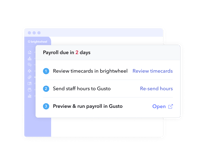
Not all payroll management software is created equal. Many business owners will likely look only at the price, thinking that most platforms offer the same features. A tool like brightwheel payroll allows you to easily process payroll from the same system that you use to manage your other center operations. Save time and money by easily exporting timecard data from brightwheel to our payroll partner Gusto, significantly reducing the amount of manual work and chance for errors.
While many different features are available with payroll management software, we’ve listed six key features to look for in an efficient, time-saving payroll system.
Direct deposit
Direct deposit is one of the most important features your employees will want to experience. They’ll want to have instant access to their paychecks, and direct deposit makes that happen while freeing up some of your responsibilities. In more manual payroll systems, paychecks have to be printed and distributed. With the right payroll management software, you can bypass this step and have funds deposited straight into the bank accounts of your staff.
Tax filing
Taxes can be tedious and sometimes disastrous if done wrong. Payroll management software offers tax filing, which takes the guesswork and pressure out of your hands. It automatically updates as tax rates change. These systems can calculate taxes, deductions, insurance, and retirement contributions for your workers, so you don’t have to. Payroll management software also generates important employee tax forms, like I-9s, W-4s, and W-2s.
Integrations
Any system you use will rarely have everything you need. That’s why finding a payroll management software that can integrate with other apps will be at the top of your list. Some payroll systems can integrate with time tracking software that helps you keep track of employee hours instead of manually entering the information. Not only does this create less work for you, but it also improves payment accuracy.
With brightwheel's staff management product, you can simplify staff schedule creation, track employee hours and time-off, and sync time tracking with payroll processing. This seamless integration can streamline the payroll process by using accurate attendance data from brightwheel, reducing manual data entry and potential errors and preventing unexpected staff shortages by having a clear view of upcoming time off.
Expense management
Many educators go the extra mile to use their own money to fund classroom expenses. With an expense management feature you can reimburse staff expenses for things like classroom supplies or even travel expenses for field trips. With a payroll management system, you can have expense reports and payment processes automated so your teachers can receive their reimbursement as soon as possible.
Reporting
With everything that goes into paying your employees, you’ll need a customizable platform that generates reporting on your payroll expenses. Payroll software will create typical payroll summary reports where you can see an overview of an employee’s payroll history during a pay period. The software will also provide a summary of labor costs with a breakdown of costs by department. Because tax filings are so important, look into a system that also offers tax payment reports, tax liability reports, and wage and tax summary reports.
Self-service
It’s important for your childcare staff to be able to access their information to make any necessary changes. For example, if they want to change their personal information like their address or payment preferences, a payment management software can make this task easy and quick. Many systems also provide access to tax forms, pay stubs, sick leave, and PTO balances.
Quick assessment: Is it time to upgrade your payroll system?
Answer these questions to determine if you need new payroll management software:
- Do you spend more than 5 hours per pay period on payroll?
- Have you made payroll errors in the past 6 months?
- Do employees request access to pay stubs and tax forms?
- Is your current system difficult to use?
- Are you planning to hire more staff this year?
If you answered "yes" to two or more questions, it's time to explore new options.
How to choose the right payroll management software
Here's how to choose the software that fits your unique business needs.
Evaluate compatibility with your business size
How many employees do you have, including yourself? Some payroll management software is catered to a specific business size. While most can accommodate any number of employees, this can affect pricing, especially if you’re a small business looking at services catered to large organizations.
Check integration capabilities
We touched on the importance of software integrations earlier. When choosing payroll software, check to see that it can integrate with the systems or applications you already have in place. This saves the time, effort, and headache you might get from needing to change your other systems to work with your payroll platform.
Assess essential features
What features do you need to run your business? Using the list from the previous section, compare this to the offerings of the software you’re considering. Does it make direct deposit fast and efficient? Does it have tax compliance? Does it make compensating your employees with regular wages, holiday pay, bonuses, and more easy? You’ll want a system that does the hard work for you.
Review ease of use
What is the user experience like? One reason for implementing payroll management software is to simplify your job and operations. While there will be a learning curve to the system you choose, a user-friendly system will reduce complicated steps and streamline your payroll process.
Verify data accessibility
You and your employees must be able to access their payroll information at all times. Cloud-based payroll management software lets you get into the system from anywhere, as long as you have an internet connection. Whether in the office, working from home, or traveling abroad, a great payroll software will let you access payroll data and share information with your employees from anywhere in the world.
Confirm security measures
To fulfill payroll, you need access to sensitive employee information, like social security numbers and bank account information. Choose a payroll software that emphasizes security so your employees trust that their personal details won’t be compromised. Finding a platform with safeguards and protocols in place is a must to protect your staff.
Consider scalability for growth
As a business owner, you need to think beyond where your business is now. Where do you want it to be in the future? Choose a payroll management software based on your current and long-term needs. There’s simply too much work involved to continuously change software based on your current needs at different moments in your operations. The systems you have in place must be able to grow with your childcare business as it scales.
Evaluate customer support options
Your objective is to find an easy and efficient payroll management software to incorporate into your business. Even with all its capabilities, there will come a time when you may need help. A software company with a quality customer support system can help you troubleshoot any issues. Check if the provider offers an easy way to get in touch with them such as live chat, email, or phone support.
Take advantage of free trials
The best way to learn a software system is to try it out. When considering what system to choose, check to see if they offer a free trial. This creates an opportunity for you to test its features and see if it's a good fit before fully incorporating it into your operations.
When to implement payroll management software
While there isn't a specific time to purchase or upgrade to new payroll software, certain trends and data points indicate that it might be advantageous to make this decision by the end of the year.
- Year-end payroll compliance and tax season preparations: Many businesses focus on ensuring their payroll systems are compliant with tax laws and reporting requirements as the year-end approaches. This makes the fall a critical period for reviewing and upgrading payroll software to avoid errors in W-2 and 1099 filing.
- Increased payroll errors and automation demand: Small business owners are often motivated to upgrade systems due to payroll errors and complexities in managing benefits and compliance, especially around year-end. Reports show that over 30% of small business owners have admitted to making payroll errors, prompting many to adopt new, automated solutions.
- Budget planning and financial strategy: During the last months of the year, businesses frequently set new budgets and plan for the upcoming year. This period is ideal for implementing or upgrading systems, including payroll, to enhance financial operations.
Simplify payroll with the right software
Ready to simplify payroll for your childcare program? Start by evaluating software options based on ease of use, security, and support. With brightwheel payroll, you can process payroll from the same system you use for other program operations—saving time and reducing errors.
FAQs
What does payroll management mean?
Payroll management is the process of paying your employees—with regular wages, overtime pay, bonuses, and more—for their services.
What is the difference between payroll software and payroll services?
Payroll software is a tool you use to process payroll yourself, while payroll services involve outsourcing the entire process to a third party. Software gives you more control and typically costs less, while services handle everything but may be more expensive. Many childcare programs prefer an all-in-one software like brightwheel that includes a payroll feature for seamless operations.
How long does it take to set up payroll management software?
Setup time varies by system complexity and business size. Most payroll management software can be configured in 1-2 hours for basic functionality. However, allow 1-2 weeks for complete implementation, including employee onboarding, testing, and staff training. Look for providers that offer dedicated setup support to streamline the process.
Can I do payroll for my business?
Yes. While there are pros and cons to outsourcing payroll, many childcare programs successfully manage payroll in-house with the right software. Payroll management software automates calculations, tax filings, and reporting—making it possible for program administrators to handle payroll without specialized accounting knowledge. This approach often saves money while giving you direct control over your payroll processes.
What features do I look for in payroll management software?
When choosing a payroll management software, consider the below features:
- Direct deposit
- Tax filing
- Integrations
- Expense management
- Reporting
- Self-service capabilities
What is the cost of payroll management software?
The average cost of payroll management software is around $30/month, ranging between $15 and $40. However, this price can vary based on the number of employees at your program.

.png "Introducing brightwheel payroll, powered by Gusto.")