.svg)
Managing paper invoices in a childcare program feels like swimming upstream. Between printing, stuffing envelopes, and chasing late payments, administrators spend countless hours on tasks that could be automated. Meanwhile, families juggle multiple payment methods and struggle to track their childcare expenses.
Electronic billing transforms this chaotic process into a streamlined system that benefits everyone involved. It reduces administrative hours, improves cash flow, and helps you build trust with families by offering a modern, streamlined experience. The key is making the transition thoughtfully.
This article walks you through each step of transitioning from paper invoices to electronic billing, including staff training strategies and effective family communication techniques.
Step-by-step guide to transitioning to electronic billing
Step 1: Assess your current billing process
Before you make changes, take a moment to evaluate how your billing currently works.
Take stock of:
-
How invoices are created and delivered
-
How long it takes to collect payments
-
What tools are involved (invoice templates, emails, spreadsheets, carbon copies, etc.)
-
How much time staff spends reconciling and following up on unpaid tuition
-
How often errors or missed payments occur
Clarify your goals:
-
Do you want to reduce late payments?
-
Save staff time?
-
Improve cash flow predictability?
-
Offer families more flexible payment methods?
Knowing your baseline will help you measure the impact of your transition.
Step 2: Research and select the right electronic billing system
Look for childcare-specific billing software that understands the unique needs of your industry.
Must-have features include:
-
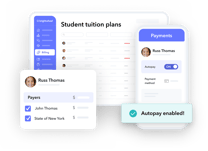
Autopay and recurring payments
-
Mobile-accessible parent portals
-
Integration with attendance tracking or tuition management
-
Support for subsidies and partial payments
-
Automated reminders and receipts
-
Reporting tools for audits and financial tracking
Create a shortlist of platforms, compare pricing, and look for providers that offer onboarding support and strong customer service. Request demonstrations and speak with current users to understand the real-world experience of using each system. Consider factors like contract length, setup fees, and transaction costs in your decision-making process.
If you’re replacing multiple systems (billing, enrollment, attendance), consider whether an all-in-one platform makes sense.
Step 3: Develop a transition plan
A well-thought-out electronic billing transition plan is crucial for a smooth rollout. Your plan should address how you will implement the new system, transfer existing data, and establish new billing procedures.
- Choose an implementation strategy. You can either implement electronic billing gradually through a pilot program or switch all families at once. A pilot program lets you troubleshoot with a smaller group, but it requires managing two billing systems for a short time.
- Plan your data migration. You'll need to transfer family contact information, payment histories, and outstanding balances. Work with your vendor to ensure a secure and accurate process. It's a good practice to test the migration with a small dataset first.
- Establish new billing procedures. Set up billing cycles and autopay schedules that work for your program and your families. Draft clear, updated billing and payment policies explaining the new system, accepted payment methods, and any changes to late fees or payment schedules.
- Update your tuition agreement or handbook. Revise your tuition agreement or parent handbook to include information about the new billing system. Clearly outline updates to payment processes, due dates, autopay options, and any associated policies. Ensure transparency to help families adapt seamlessly.
Pro tip: Switching to brightwheel is easier than you think. Brightwheel supports your data migration with our easy upload tool. Simply upload any file type (e.g. excel files with student and parent contacts, scanned PDFs, or even photos of attendance sheets) and our team will handle the data entry within 24 hours.

Childcare Tuition Contract Template
Download a free childcare tuition contract template to save you time.
Step 4: Train your staff
Your staff plays a critical role in how smoothly the switch to electronic billing goes. Even if the platform is intuitive, giving your team the tools, confidence, and time to learn it will prevent confusion and reduce family frustrations down the line.
Set your staff up for success by:
-
Hosting hands-on trainings or demos: Instead of emailing instructions or assuming employees will figure things out, walk them through the system in real time. Use a live demo or test account where they can see how to create invoices, edit a billing plan, apply credits, and send payment reminders. Recording the session gives new or absent staff something to reference later.
-
Sharing quick-reference guides for daily tasks: Create simple, visual job aids—like one-pagers, checklists, or screenshots—for common functions such as updating family payment info or pulling reports. These resources help staff avoid mistakes and reduce the need for constant questions to leadership.
-
Assigning an internal “billing lead” or point person: Choose someone on the team who will take ownership of the billing process. This person can become the internal expert, liaise with the software provider, help troubleshoot issues, and support other staff members. If possible, include them in system setup and training from day one.
-
Giving staff practice time before launch: Don’t wait until go-live to let staff click around. Allow them to test the system with mock data or draft invoices so they feel comfortable using it. Even 30–60 minutes of hands-on time can dramatically increase accuracy and confidence when families start asking questions.
The more prepared your team is, the less friction you’ll face once electronic billing goes live. Confident staff can reassure families, catch errors early, and ensure your first billing cycle runs smoothly.
Step 5: Communicate with families
For families, the "why" is just as important as the "how."
Start with a strong announcement that explains:
-
When the change is happening
-
How the new system benefits families (e.g., autopay, reminders, receipts, transparency)
-
What they’ll need to do (set up an account, add a payment method, verify email, etc.)
-
What payment methods will be accepted (ACH, credit card, etc.)
Support families with:
-
Step-by-step instructions or short video walkthroughs
-
FAQs addressing fees, security, and privacy
-
A grace period for setup or questions
-
Staff availability for quick help
Proactive communication reduces confusion and boosts adoption rates.
Step 6: Launch the system
If you're piloting the system, start with families who are comfortable with technology and likely to provide constructive feedback. Monitor their experience closely and make adjustments based on their input before expanding to all families.
For full rollouts, ensure everyone understands the exact go-live date and what changes to expect. Send reminder communications leading up to the launch date. Be prepared to provide extra support during the first billing cycle as families adjust to the new process.
Track key metrics from day one, including payment processing times, error rates, and family adoption of online features. Monitor your support channels for common questions or issues that might indicate areas needing additional communication or training.
Step 7: Monitor, measure, and improve
Once you’re live, track your progress and make refinements.
Monitor key metrics like:
-
Time spent on billing per cycle
-
Rate of on-time payments
-
Number of manual follow-ups
-
Family satisfaction and adoption rates
-
Errors or payment disputes
Hold a check-in after the first month or billing cycle to gather feedback from staff and families. Small tweaks (like adjusting reminder timing or updating email language) can make a big impact.
Tips for a smooth transition to electronic billing
Even with the right billing platform, a successful switch depends on how you manage the human side of the change. These tips will help reduce resistance, build trust, and keep the process running smoothly.
Plan for change management
Change can feel overwhelming—especially for long-time staff or families used to paper invoices or in-person payments. Expect questions and some resistance, and plan for it:
-
Host informal Q&A sessions with staff and families before launch.
-
Give people time to adjust rather than announcing changes at the last minute.
-
Reinforce the benefits (time savings, convenience, fewer errors, faster payments) in every communication.
-
Be available and responsive during the first billing cycle to troubleshoot concerns.
Treat the transition as a rollout, not a flip of a switch.
Offer flexibility at first
You don’t need to force 100% adoption on day one. Providing temporary flexibility reassures hesitant families while still moving everyone in the right direction.
-
Allow checks or manual payments during the first 1–2 cycles.
-
Give families time to enter payment info and set up autopay.
-
Consider starting with a pilot group before expanding.
-
Clearly communicate when old methods will be phased out.
This prevents frustration—and gives you breathing room to iron out any early hiccups.
Prioritize transparency
People accept change more easily when they understand the reasoning behind it and know what to expect.
-
Explain why you’re moving to electronic billing (e.g., convenience, time savings, faster payments, reduced paperwork).
-
Share exactly what will change, what will stay the same, and what families need to do.
-
Communicate timelines clearly through email, printed notices, portal messages, or parent apps.
-
Provide regular reminders leading up to the launch.
Clarity reduces confusion and builds trust.
Highlight security
Many families worry about storing payment details or using online systems—especially when it involves their child’s care provider.
-
Emphasize that payments are encrypted and processed securely.
-
Mention compliance with PCI, banking, or privacy standards where applicable.
-
Reassure families that electronic billing is safer than keeping paper checks, credit card forms, or spreadsheets on file.
-
Offer support to help families securely set up accounts.
When families know their data is protected, adoption increases quickly.
 I had my training and by that next week we were switching, and I was adding billing plans and adding students. It didn’t take as long as I thought. It probably took a week for me to feel confident.”
Syieda L., Director and Owner of SMG Clubhouse in Horsham and Quakertown, PA
Brightwheel helps us in every way possible. From their onboarding and support team to the features that keep us organized, on track with planning, and communicating smoothly to parents and each other.”
Harida H., Administrator, Play Pals Daycare in Maumee, OH
The brightwheel onboarding process is really, really helpful. They made sure I was using the tool to the best of its abilities, and they took care of uploading all the kiddos into the system.”
Alyssa D., Executive Director at McNeilly Center for Children in Nashville, TN
Common pitfalls to avoid
-
Waiting until launch day to explain the change
-
Skipping staff training “to save time”
-
Assuming families will figure out the portal on their own
-
Forgetting about subsidy billing or split payments
-
Ignoring feedback after go-live
Preparation and communication are your biggest safeguards against hiccups.
FAQ: Electronic billing for childcare providers
What is electronic billing in a childcare setting?
Electronic billing refers to using digital tools or software to send invoices, collect tuition, and track payments electronically instead of using paper invoices or manual processes.
How does electronic billing benefit childcare centers and preschools?
Electronic billing reduces administrative work, speeds up payment collection, improves accuracy, and gives families convenient options like autopay and online payments. It also supports better reporting, transparency, and financial planning.
Is electronic billing secure for handling tuition and parent payment information?
Yes. Most electronic billing platforms use encrypted payment processing and comply with financial and privacy regulations. This provides a higher level of security than storing paper records or manually handling credit card info.
How do I communicate electronic billing changes to families?
Notify families in advance with clear instructions, FAQs, and setup guidance. Emphasize the benefits of electronic billing, such as convenience, reminders, and transparency, and provide support during the transition.
How long does it take to switch from paper invoices to electronic billing?
The transition timeline varies, but most childcare programs can switch to electronic billing within one or two billing cycles. Proper planning, staff training, and clear communication with families can speed up the process and reduce friction.
Wrapping up: A smarter way to bill
Transitioning from paper invoicing to electronic billing is one of the most impactful operational upgrades a childcare business can make. It saves time, improves cash flow, and meets the expectations of today’s families—without sacrificing personal connection.
With the right plan, the switch doesn’t have to be overwhelming. Start with staff, communicate clearly with families, and let technology handle the heavy lifting.