.svg)
Many childcare providers spend countless hours each week managing payments and dealing with billing headaches. The right payment processing software can transform your billing operations from a time-consuming burden into an automated system that works behind the scenes.
This article will walk you through everything you need to know about selecting payment processing software that meets your childcare program's unique needs.
You'll discover how these systems work, which features matter most for childcare providers, and how to choose the solution that saves you time while improving your payment collection rates. Plus, we'll compare the top options available in 2025 to help you make an informed decision.
What is payment processing software?
Payment processing software is a digital system that automates the collection, processing, and tracking of payments from families. Instead of manually handling checks, cash, or card payments, this software creates a seamless bridge between families and your childcare program's financial operations.
For childcare programs specifically, payment processing software offers several key benefits:
- Automated recurring billing for tuition, fees, and additional services
- Multiple payment options including credit cards, debit cards, and bank transfers
- Real-time payment tracking and reporting capabilities
- Integration with childcare management systems for streamlined operations
- Reduced administrative workload through automated processes
- Improved cash flow with faster, more reliable payments
Consider a typical scenario: Instead of spending Monday mornings sorting through various payment methods and updating individual accounts, your software automatically processes recurring payments, sends confirmation emails to families, and updates each child's account balance. This transformation allows you to focus on what matters most—providing quality care for children.

How does payment processing work?
Understanding the payment processing workflow helps you appreciate how this technology streamlines your operations. Here's the step-by-step process:
- Payment setup: Families securely store their payment information in your system, choosing their preferred payment method and schedule.
- Automatic billing: Your software generates invoices based on your fee structure, whether that's weekly tuition, monthly rates, or service-specific charges.
- Payment collection: On the scheduled date, the system automatically processes payments from families' chosen payment methods.
- Transaction processing: The payment processor securely handles the transaction, moving funds from families' accounts toward your business account.
- Confirmation and updates: Both you and families receive confirmation of successful payments, while your system automatically updates account balances and payment records.
- Reporting and tracking: The software generates reports showing payment status, overdue accounts, and financial summaries for your records.
This entire process happens automatically once set up, eliminating the need for manual intervention in routine transactions. For childcare programs, this means consistent cash flow and significantly reduced administrative time spent on billing tasks.
Key features to look for in payment processing software
Not all payment processing solutions offer the same capabilities. When evaluating options for your childcare program, prioritize these essential features:
Automated billing capabilities
Your software should handle recurring payments without manual intervention. Look for systems that can accommodate different billing schedules—some families may pay weekly while others prefer monthly arrangements. The ability to automatically calculate fees for different age groups, additional services, or late pickup charges is equally important.
Multiple payment options
Families appreciate flexibility in how they pay. Ensure your chosen software accepts credit cards, debit cards, ACH bank transfers, and potentially digital wallets. The more payment options available, the easier it becomes for families to pay on time.
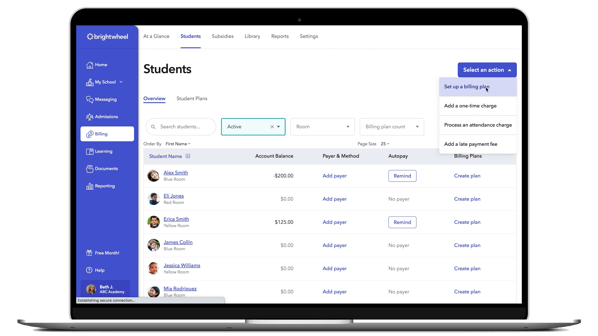
If some families still prefer to pay by check, brightwheel billing makes it easy to deposit checks right through brightwheel. Skip the trips to the bank and deposit checks directly in the app. Track all payments in one place with funds appearing in your account in 1-2 business days.
Subsidy and financial assistance management
Many childcare programs work with families who receive government subsidies or need financial assistance arrangements. Your payment processing software should accommodate these situations by allowing for partial payments, adjusted billing amounts, and proper tracking for subsidy reimbursements.
Comprehensive reporting and tracking
Financial visibility is crucial for any childcare program. Look for software that provides detailed reports on payment history, outstanding balances, successful transaction rates, and revenue summaries. These insights help you make informed decisions about your program's financial health.
Integration capabilities
Your payment processing software should work seamlessly with your existing childcare management system. This integration eliminates duplicate data entry and ensures that payment information automatically updates across all your administrative tools.

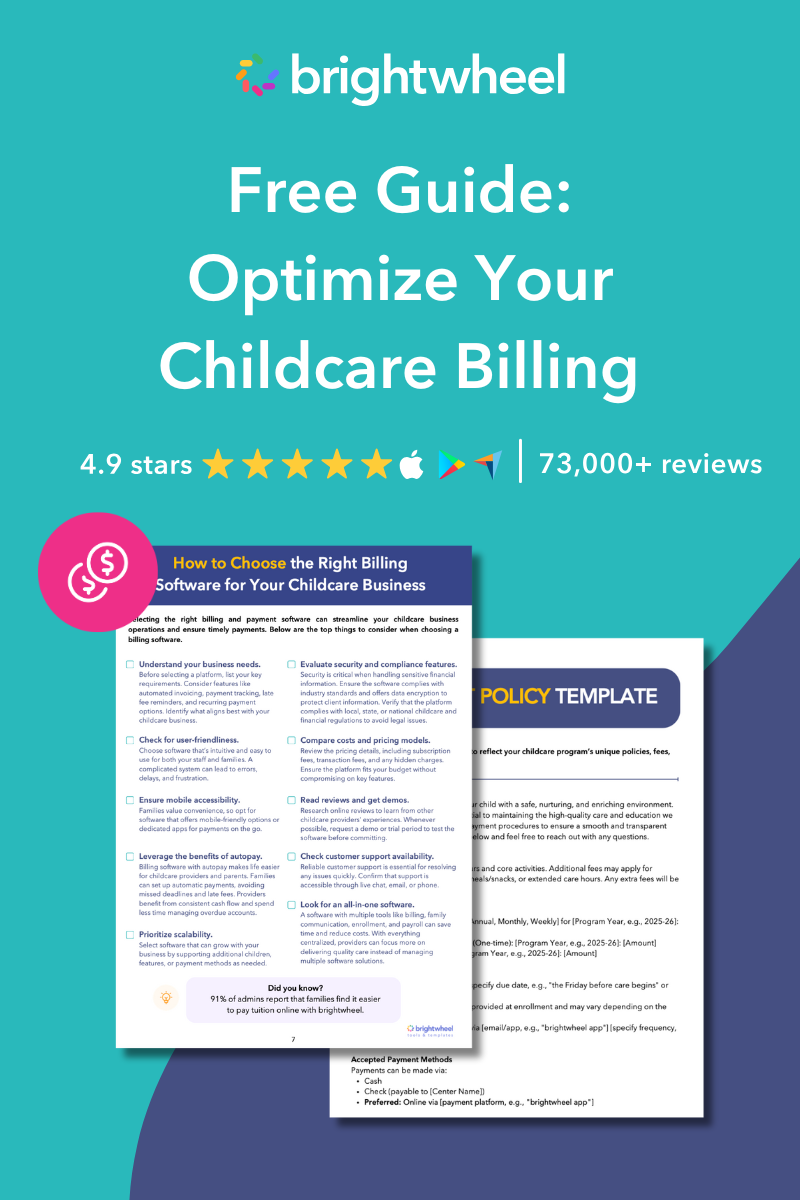
Free Childcare Billing Guide
Download this free guide to streamline your childcare billing processes and save time.
Cost of payment processing
The payment processor collects transaction fees from your total sales. This fee, called the merchant discount rate, generally ranges from 2% to 3% of the total purchase and consists of:
- Interchange fees which are mostly the total fees incurred for a card transaction. The card networks set rates, and fees go to the issuing bank. For example, the interchange fee is set by Visa, while the issuing bank, Bank of America, receives the fees. Fees vary, depending on the type of card used, the industry you're in, and whether the payment was accepted in person or online.
- Assessment fees are paid to the card network, such as Visa. The amount owed is a percentage of the month's gross sales and varies depending on whether your customer uses a credit or debit card.
- Processor fees compensate the payment processor.
When creating documentation for your program's payment policies and outlining what payment methods you accept, due dates, payment plans, late fees, and more, you can also include details about any payment fees. For example, if you decide to pass processing fees along to the customer, you must make this clear in your policies so that your customers are aware of this information.
Top payment processing software for childcare programs (2025)
|
Payment Processing Software |
Pros |
Cons |
|---|---|---|
|
Brightwheel |
- All-in-one childcare management solution |
- Limited customization for financial reports |
|
Procare |
- Advanced financial tracking features |
- Steeper learning curve |
|
KidKare |
- Affordable for small, family-based programs |
- Limited scalability for larger programs |
|
Stripe |
- Highly customizable payment options |
- Not childcare-specific |
|
Square |
- Flexible payment options |
- Limited childcare-specific features |
How to choose the right payment processing software
Selecting the best payment processing software requires careful consideration of your program's specific circumstances and goals.
Assess your program's needs
Start by evaluating your current payment challenges. Do you struggle with late payments, spend too much time on manual billing, or need better financial reporting? Document these pain points to ensure your chosen solution addresses them effectively.
Consider your program size and growth plans. A solution that works for 20 children may not scale effectively if you plan to expand to multiple locations or significantly increase enrollment.
Consider your budget
Payment processing software costs typically fall into two categories: monthly subscription fees and transaction-based charges. Some solutions charge a flat monthly rate per child, while others take a percentage of each transaction processed.
Calculate the total cost based on your payment volume. A higher monthly fee might actually cost less than transaction-based pricing if you process many payments each month. Don't forget to factor in setup fees, hardware costs, and any additional charges for premium features.
Read reviews and get referrals
Connect with other childcare providers in your area or through professional associations. Their firsthand experiences can reveal important details about software performance, customer support quality, and real-world usability that marketing materials might not cover.
Pay attention to reviews that specifically mention childcare use cases, as general payment processing reviews may not address your industry's unique requirements.
Test the software with a free trial
Most reputable payment processing providers offer free trials or demonstrations. Use this opportunity to test the software with your actual billing scenarios. Set up a few sample families, process test payments, and evaluate how well the system handles your specific fee structures and payment schedules.
During your trial, pay special attention to the user interface, reporting capabilities, and customer support responsiveness. These factors significantly impact your daily experience with the software.
Simplify childcare payments
Payment processing software offers childcare programs a powerful way to reduce administrative burden while improving cash flow and family satisfaction. By automating recurring billing, providing multiple payment options, and offering detailed financial tracking, these systems free up valuable time that you can redirect toward caring for children.
Frequently asked questions about payment processing software
What features should I look for in payment processing software for childcare programs?
Look for software that includes automated billing, autopay options, invoice generation, and payment tracking. Additional features like reporting tools, late fee calculation, and integration with parent communication systems can also streamline your operations and reduce administrative tasks.
Can payment processing software improve on-time payments?
Yes, many platforms offer features like autopay, payment reminders, and immediate due-date alerts, which significantly improve payment reliability. Some users report up to a 90% on-time payment rate when using automated billing systems.
Is payment data secure when using this type of software?
Most reputable payment processing platforms prioritize security and compliance, employing encryption and secure payment gateways to protect sensitive financial data. Ensure the platform you choose follows industry standards, such as PCI compliance.
Will families find it easy to use payment processing software?
Modern platforms are designed with user-friendly interfaces, making it simple for parents to set up and manage payments. Features like mobile app accessibility, payment history tracking, and reminders ensure convenience for families while reducing administrative questions for your staff.
What happens if a payment fails?
Payment processing software often includes features like automatic retries, failure notifications, and alerts for both the provider and the parent. These systems also allow you to quickly identify and resolve issues through detailed transaction records.