.svg)
Emergencies can happen at any time, and when they do, preparedness is the key to handling them well. Families trust you to not only care for and keep their children safe but also to keep them informed when an emergency occurs. A reliable daycare emergency contact form is one of the most critical tools for ensuring child safety and maintaining parent trust.
Having updated contact information on hand is a crucial part of any childcare center's or preschool's emergency plan. Whether the emergency is due to a medical issue, a natural disaster, or a facility problem, your thoughtful planning can minimize trauma and ensure children's emergency contacts are informed about the situation.
This article provides a practical guide to creating an effective emergency form for your childcare program. We'll cover what information to include, how to manage the forms, and how to use them effectively during a crisis.
Why every childcare provider needs a daycare emergency contact form
A daycare emergency contact form is more than just a piece of paper; it's a vital component of your program's safety protocol. These forms are critical because they:
- Reduce stress by organizing all essential contact and medical details in one accessible place.
- Minimize trauma for both children and staff by enabling swift, informed action.
- Inform children’s emergency contacts promptly, which is crucial for coordinating care and providing reassurance.
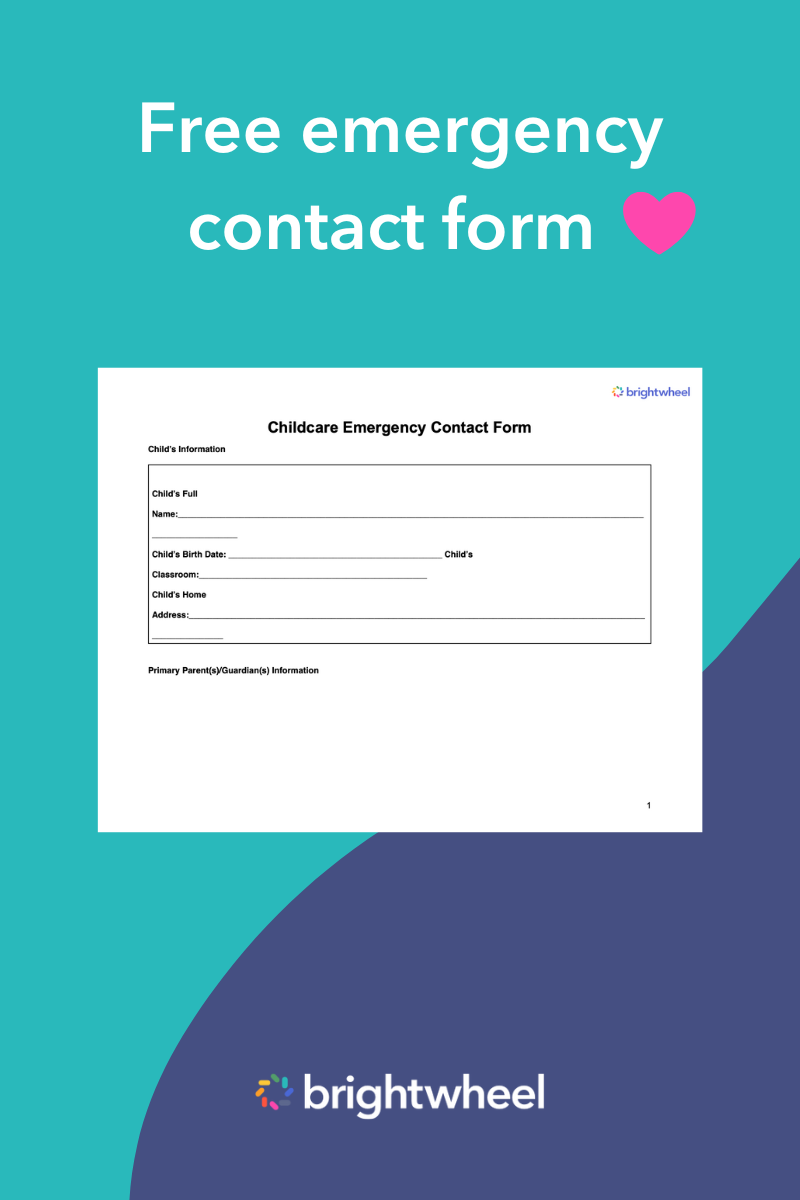
With proper training, your staff can use these forms as part of a larger, comprehensive emergency action plan. For example, with brightwheel's childcare forms, you can create custom forms directly in the app, share them easily with families, track their status, and store them digitally for immediate access.
What to include on a daycare emergency contact form (checklist)
A daycare emergency contact form is only as useful as the information on it. To ensure it is helpful in a crisis, your form needs to be clear, comprehensive, and easy to read. Here is a checklist of what to include:
- Child's full name and date of birth: This basic information is essential for identification. You can also include the child’s current age and weight, which may be helpful for healthcare providers in a medical emergency.
- Parent/guardian contact information: List the names and all available phone numbers for each parent or guardian, including home, mobile, and work numbers.
- Authorized emergency contacts: In addition to parents or guardians, include at least two other trusted adults who can be contacted and are authorized to pick up the child. Make sure to get parents' explicit permission to contact these individuals.
- Critical medical information: This is one of the most important sections. It should clearly list all known allergies (food, environmental, medication), chronic health conditions (like asthma or epilepsy), and any medications the child takes regularly.
- Physician and dentist information: Including the name and contact information for the child’s primary physician and dentist allows daycare staff and first responders to get professional medical advice quickly.
- Consent for emergency medical treatment: This is a crucial addition. A consent statement, signed by the parent or guardian, authorizes you to seek emergency medical treatment for the child if you cannot reach them. This can prevent delays in urgent situations.
How to distribute and store your daycare emergency contact forms
Creating the form is only the first step. Proper management ensures the information is always current and accessible when you need it most.
Distribution
Distribute the daycare emergency contact form to families during the enrollment process. It's also a best practice to ask parents to review and update the information every 6 to 12 months, or whenever their details change (like a new phone number or address).
Storage
During an emergency, you may not be able to access your main office. The "rule of three" is a great strategy for storing these vital documents:
- Physical copy: Keep a printed copy of each child's form in a central, clearly labeled binder that is easily accessible to all staff members.
- Portable "go-bag": Have a second physical copy in an emergency "go-bag" that can be quickly grabbed during an evacuation. This bag should also contain other essentials like a first-aid kit and class rosters.
- Digital copy: Store a secure digital copy in a childcare management app like brightwheel. This ensures you can access the information from a mobile device or any computer, even if you are away from your facility. Digital storage also makes the forms readily available to all authorized staff.
Using the daycare emergency contact form: A step-by-step guide
The nature of emergencies varies, so your communication approach needs to be adaptable. Here’s a step-by-step guide for using the forms effectively.
Step 1: Assess the situation
First, determine the nature of the emergency. Is it an individual incident, like a child having an allergic reaction, or a center-wide situation, like a fire alarm or severe weather warning? Your response will differ based on the scope.
Step 2: Ensure immediate safety
Your top priority is always the safety of the children. This may involve administering first aid, evacuating the building to a designated safe spot, or calling 911. Follow your established emergency procedures.
Need help making a plan for your facility? The U.S. Department of Health and Human Services, National Center on Early Childhood Health and Wellness provides many resources for early-childhood programs shaping an emergency plan.
Step 3: Initiate communication
Once the immediate threat is managed, designate a staff member to begin contacting parents or guardians using the information on the daycare emergency contact form. The American Academy of Pediatrics (AAP) recommends communicating facts clearly. Share what happened, whether all children are accounted for, and where and when it is safe for guardians to pick up their children. It is important to provide information as you have it but not to speculate.
Step 4: Use backup communication channels
If primary communication methods fail—for example, if a power outage downs phone lines—be prepared with alternatives. These could include mass text alerts through an app like brightwheel, updates on your center's social media pages, or a pre-recorded message on your facility's main voicemail.
Download free daycare emergency contact forms (PDF)
Having an updated daycare emergency contact form for every child is a crucial element of your safety plan. To help you get started, we’ve created a comprehensive guide and templates to prepare your childcare program for an emergency.

Emergency Supply Kit
Download this free quick reference guide and templates to prepare your childcare program for an emergency.
A foundation for safety and trust
A complete and accessible daycare emergency contact form is the foundation of a solid emergency preparedness plan. By ensuring these forms are detailed, regularly updated, and stored properly, you demonstrate a commitment to safety that gives families confidence and peace of mind.
Managing important documents digitally can further streamline your processes. With a platform like brightwheel, you can handle everything from enrollment forms to emergency contacts in one secure, easy-to-use system, freeing you up to focus on what matters most—the children in your care.